
Decluttering Old Tech
Moving from Canada to the Netherlands forced me to face a universal truth: nothing reveals clutter faster than weighing it.
So I gathered my abandoned phones, mystery cables, and long-forgotten Kindles — the whole “tech graveyard” — and dealt with it once and for all.
No international move required: chances are you have a tech drawer of your own. Here’s how, and where, to disard it securely.
Why Get Rid of Old Devices?
Let’s be honest: old phones and laptops are among the most common kinds of clutter — not the easiest. They hide in drawers, whisper “just in case,” and somehow feel too valuable (or too complicated) to deal with.
That’s exactly why finally letting them go is such a high-value win. It builds confidence for the rest of your decluttering — you’re not just tidying, you’re tackling digital baggage and physical clutter at once.
Responsible disposal & data security — In the Netherlands, electronic waste must be collected separately from regular trash, and large stores are legally required to accept your old device when you buy a similar new one. So there’s really only one way out the door for this stuff — and it’s not via the garbage bin. Once you hand it in, it’s handled properly and that chapter is closed for good.
Sustainability — Donating, trading-in, or recycling keeps valuable materials in circulation and supports the circular economy.
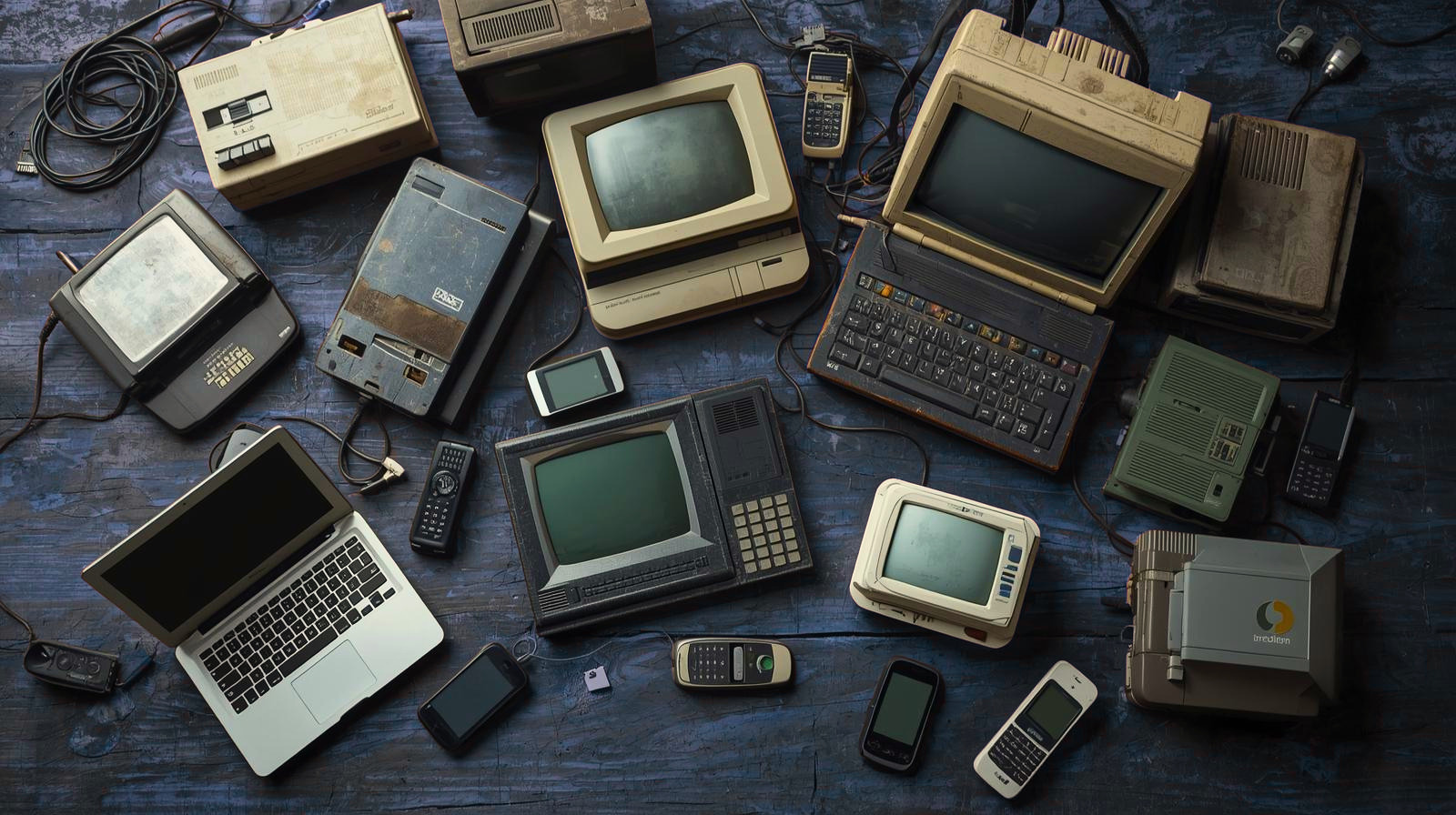
Step 1. Gather old laptops, tablets, phones and accessories together (KonMari-Style)
Bring together all the devices you’re no longer using— e.g. ones you no longer use, don’t plan to use, or can’t power on/access.
That includes:
-
- Desktop computers
- Laptops / notebooks
- Tablets and smartphones
- Monitors, docking stations, external drives
- Accessories — chargers, cables, keyboards, headphones
- Small electronics — routers, smart watches, game consoles
If it’s been sitting untouched for a year, is obsolete, a complete mystery or has long since been replaced — it’s time to deal with it.
Step 2. Decide What to Do — Sell, Trade-In, Donate or Recycle
With everything gathered, you can make clear decisions. Instead of vague questions, here’s a quick decision helper:
Works well & fairly recent
Sell or trade-in through trusted electronics stores.
Personal preference/ not so new / minor faults
Donate to organisations that refurbish laptops for students and people in need.
Broken or too old for reuse
Recycle through your local waste centre or Wecycle point
Afvalpunten | Milieuparken | Wecycle bins (phones and small e-waste)
Devices with data you can’t erase
Secure destruction certificate.
Brantjes provides certified destruction for external drives, computers and phones. Mail-in service available. Prices are on their website.
That’s it — no more “maybe later” pile.
And if you’re unsure what category yours fits, check whether the shop or charity can test and wipe devices for you. Apple Stores and Cyberbank, for instance, will securely erase your data as part of the intake process — a relief if wiping it yourself feels intimidating.
Step 3. Confirm You No Longer Need the Device
In many cases, this step has already happened — just not consciously.
You’ve moved to a new device, everything seems to be there, and the old laptop gets set aside “just in case.”
Time passes… and it quietly becomes clutter. If the device is no longer earning its keep, time to declutter.
Before wiping or letting the device go, take a few minutes to confirm that anything important is already on your current device or safely stored:
- Open a few key folders (documents, photos, downloads) on your current computer
- Spot-check older or less frequently used files
- Make sure anything essential is accessible and complete
If everything you need is already in place, there’s no reason for the old device to keep taking up space.
If you’re unsure, you can still transfer remaining files now — using cloud storage or an external drive — but keep it focused. You’re not archiving everything, just making sure nothing important is lost.
At this stage, the goal isn’t to back up the old device — it’s to confirm you no longer need it.
If accessing the device isn’t possible (for example, you don’t have the password), it may be simplest to treat this as a clean break and move forward.
Step 4. Wipe Your Data Properly (Factory Reset Your Device)
Before the device leaves your home, make sure your personal data is properly removed.
Simply deleting files isn’t enough — a factory reset ensures your information can’t be easily recovered.
Most devices have a built-in option to erase everything. If you’re unsure how to do this, follow the official instructions for your device:
Android: Factory reset and remove your Google Account
Windows: Before you recycle, sell, or gift your Xbox or Windows PC
If you prefer to let the receiver handle wiping or destruction, check their policy — most listed here will do it securely.
What if you don’t have the password?
This is very common with older devices — they’ve been sitting unused, and the login details are long gone.
Long forgotten passwords are not a reason to keep old laptops.
For most Windows laptops, you can still reset the device from the login screen — no password required.
Look for the option to restart into recovery mode, then choose:
Reset this PC → Remove everything
If the device is leaving your home, select fully clean the drive so your data can’t be recovered.
If you can’t access the device at all, or prefer not to do this yourself, some donation and recycling partners will securely wipe it for you.
Step 5: Clean & Prepare the Device
- Give the device a quick clean — dust has a way of multiplying in storage.
- Include chargers & accessories (where possible — they increase reuse value).
- Add a simple label (e.g., “iPad Mini 2017 – wiped – working”). This helps both you and the next person — no guessing games later.

Tech in a bathtub is for laughs – in real life, use a dry cloth!
Step 6: Take that old tech where it belongs. Big hint – not your attic!
NL-Wide / Online Options
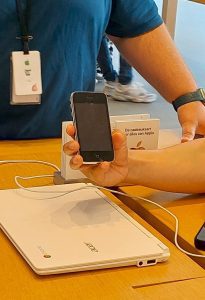
Photo Note: Apple Amsterdam Store staff holding an iPhone 3 like it’s a rare museum artifact. Schattig!
Apple Trade In (for iPhone, iPad, Mac, Watch)
If you’re an Apple user, you can trade in your device for credit or free recycling, online or in person.
Apple Stores in the Netherlands where you can bring equipment to trade in or recycle:
- Amsterdam – Leidseplein 25
- Haarlem – Grote Houtstraat 99
- The Hague – Passage 39
Even if your device has no trade-in value, Apple will recycle it for you.
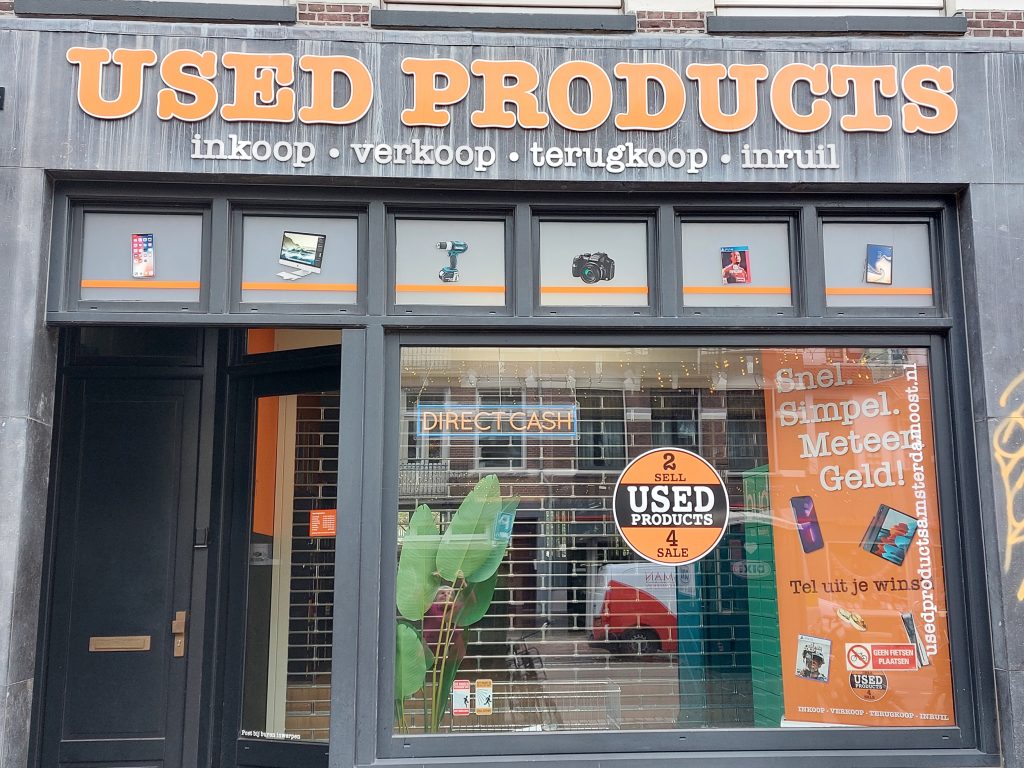
Check out Used Products stores across the Netherlands. They’ll assess your device on-site, pay you immediately (if it has value), and you can skip the hassle of packaging and posting.
- Amsterdam: usedproducts.nl/amsterdam_en
- Rotterdam: usedproductsrotterdam.nl
- Utrecht: usedproductsutrecht.nl
- The Hague: usedproductsdenhaag.nl
Typical value:
Newer (<5 years): €50–€200
Older or damaged: €0–€30
Bring ID; all sales are registered in the national Stop Heling database.
Tip: For phones, small accessories, or batteries, use a nearby Wecycle point, find via National locator for Wecycle Waste Collection points.
Both Coolblue and MediaMarkt make it easy to hand in old electronics for responsible recycling — no purchase required.
Coolblue accepts phones, tablets, laptops, and other small devices for free recycling, whether you drop them off in-store, send them in via PostNL, or give them to a delivery driver when receiving another order.
Coolblue How To
MediaMarkt offers a similar service: you can bring your old device to any store for free recycling or, if you prefer, use their inruilservice to receive shop credit toward a future purchase.
MediaMarkt – How To
To Donate or Recycle old laptops and comptuers
Did you know? In the Netherlands – large electronics stores (>400 m²) must accept small e-waste for free, even if you don’t buy something new.
Laptop Opvang (Laptop Shelter Foundation) (national, ships) — refurbishes donated laptops and passes them on for a small fee to students, care orgs, and charities. Give an old laptop a new life
Project Edu-PC (national, focus on kids 4–12) — facilitates educational laptops for children from low-income families; see how to help here
To Donate Mobile Phones or Tablets
- KNGF Geleidehonden — donate old smartphones/tablets (and cartridges); find/drop-off options and request a collection box. geleidehond.nl
- CliniClowns — old mobiles/tablets support their programs; you can request a free collection box (useful for schools/offices). CliniClowns
- SOS Dolfijn — donates value from used mobiles (and toners/cartridges) to marine mammal rescue for donation; you can send them by post or drop at the collection point in Anna Paulowna. SOS Dolfin
- Eeko (collection partner behind many charity phone drives) — overview of their charity collaborations and how collections work (useful if you’re organizing a drive). Eeko ccc B.V.
Options by City
Amsterdam
Cyberbank (Timorplein 22) – donate laptops for secure data-wiping and redistribution to low-income residents.
Recycling centres (Amsterdam Afvalpunten): Free for residents with ID + proof of address. They accept computers, printers, and electrical appliances. Addresses & hours (examples):
• Rozenburglaan 1 (Oost) — Mon–Sat 08:00–17:00
• Henk Sneevlietweg 22 (Nieuw-West) — Mon–Sat 08:00–17:00; Sun 10:00–16:00
• Toetsenbordweg 41 (Noord) — Mon–Sat 08:00–17:00; Sun 10:00–16:00
• Seineweg 1 (Nieuw-West), Meerkerkdreef 31 (Zuidoost), plus others and map.
The Hague/Den Haag
Municipal appliance drop-off – bring old electronics to waste depots or shops when buying new DenHaag Gemeente.
Leiden
Leidse Laptoppers — local initiative giving youth in Leiden a second-life laptop. How to Donate to Leidse Laptoppers.
Rotterdam
Milieu Parken (Recycling Centres) & De HER (repair/reuse hub): Opening hours and exact conditions vary slightly by site — always good to check.
- Charlois – Aploniastraat 12 (Mon–Sat 09:00–17:00)
- Prins Alexander – Nikkelstraat 131 (Mon–Sat 09:00–17:00)
- IJsselmonde – Hekendorpstraat 55 (Tue–Sat 09:00–17:00)
- Hoek van Holland (Tue, Thur and Sat 09:00–17:00)
- Rozenburg – Frans Halsstraat 2 (Tue, Thur and Sat 09:00–17:00)
- The HER Recycling Center – Bovendijk 191 (Tue–Sat 09:00–17:00, Sun 09:00–13:00)
Bring ID; residents only. Rotterdam Gemeente
Utrecht Region
Tussenvoorziening (Interim Facility) – accepts computers and phones, refurbishes and gives them to clients who need digital access. How to donate to Tussenvoorziening
Quick prep checklist
- Back up & sign out of accounts (iCloud/Google/Microsoft), remove SIM/SD cards.
- Data wiping: Many of the recipients above wipe devices on intake, but you may be more comfortable doing it yourself – factory-reset first (but donation partners will still sanitize drives). See each org’s policy on their page — e.g., Cyberbank notes certified data deletion.
- Include chargers & accessories where possible — they increase chances your device can be reused (several orgs list “complete with charger” as preferred).
Is your old tech just the tip of the decluttering iceberg? I can help! Book a free consultation today!
I’m Sheila, your opruimcoach/professional organizer. Each month I’ll drop fresh organizing inspiration, smart tips, and a nudge to let go of what doesn’t serve you. Sign up now and get organizing inspiration without adding to your clutter pile!